


Frequently Asked Questions
Support
How can I contact support?
Transactions
Where is my deposit?
If your deposit isn't reflecting, it's likely awaiting one or more blockchain confirmations that must occur before your account receives the funds. Throughout this period, your transactions will be labeled as "Initiated" in the "Activity" tab under "Settings."
How long does my withdrawal take?
Withdrawals are usually processed straight away and will be credited to your account as soon as your transaction is confirmed sufficiently on the blockchain. However in rare cases they may need to be reviewed by our team before being processed. In these cases it can take up to 24 hours.
Where can I view information about confirmations?
Are there any fees on deposits or withdrawals?
WSMCasino does not charge any fees on deposits or withdrawals. You may however have to pay provider or mining fees depending on the method you use to deposit.
Gameplay
Why does my balance change to USD / EUR when entering a game?
We do this conversion for two reasons:
-
Some of our game providers don’t support the display of cryptocurrencies in their games, so we convert to a fiat currency to make it consistent across all games
-
We think it’s easier to keep track of what you bet and win in fiat than in crypto.
Stakes and wins are still credited and debited from your balance in crypto.
How do I change the balance of the game I'm playing?
To change the cryptocurrency balance that you’re using, you can click the balance and choose a different cryptocurrency. The game will need to load again.
To change the fiat currency that the game launches in, you can change your preferred currency in Profile and Settings.
Account
How do I reset my password?
To reset your password, click ‘Login’ and then click the ‘Forgot password’ link and follow the instructions.
Where can I view my account history?
Under Profile & Settings, if you navigate to the ‘Activity’ tab, you can find all of your activity there.
What documents do you accept for account verification?
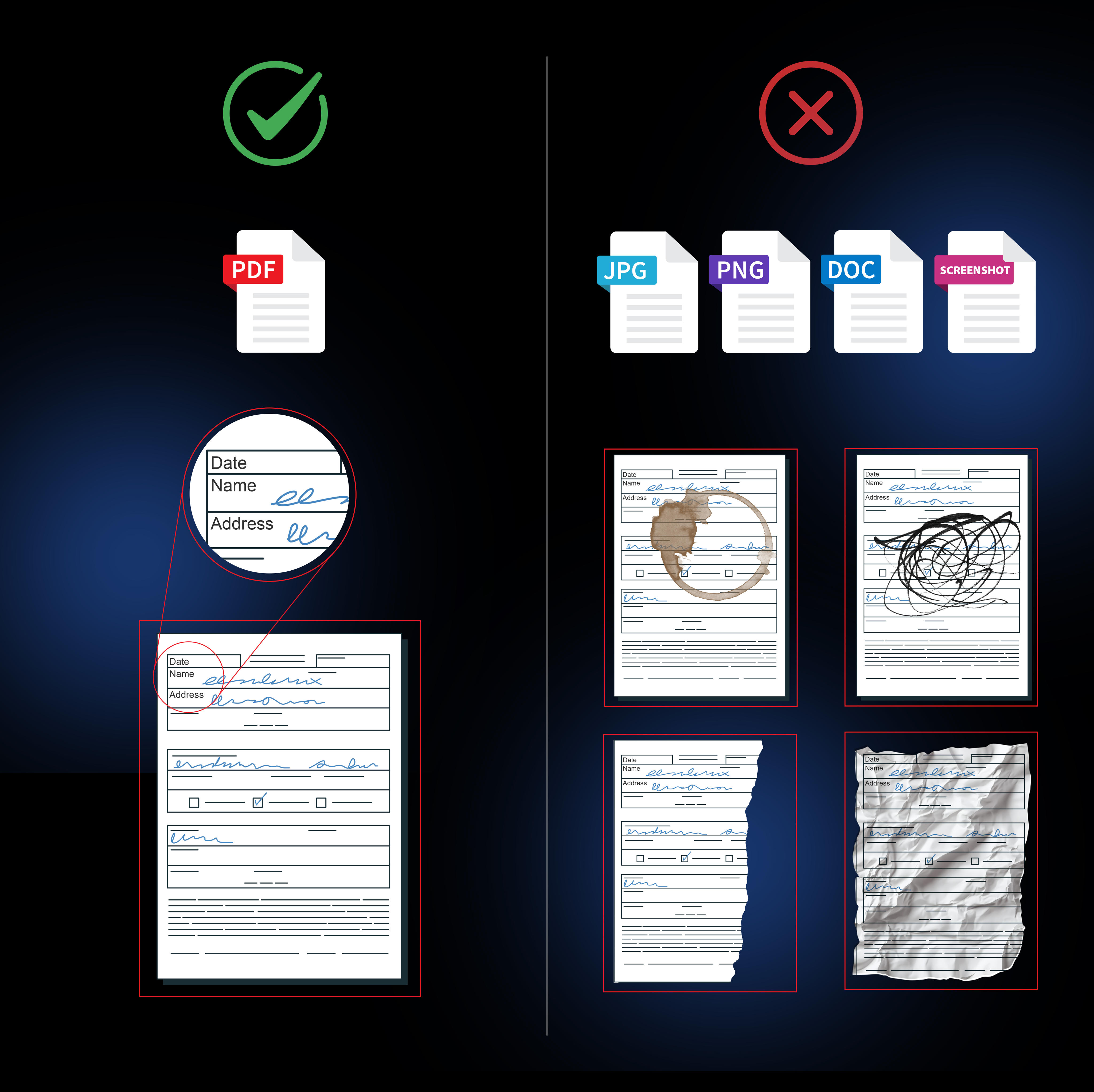
- For identity proof, we would need front and back photos of a valid government issued ID, Drivers License or Passport, and a selfie of yourself holding your document of choice.
- When it comes to address proof, we can accept a bank statement or utility bill, issued to you in the past 90 days, in PDF, or as a photo of a physical copy.
All submitted documents should have all four corners visible, and no information should be covered.
Please refer to the below infographics to successfully submit your verification when needed.

WalletConnect
How do I register with WalletConnect?
To register with WalletConnect, follow these simple steps:
-
Select the WalletConnect button on the registration form.
-
Then select the application of your choice.
-
Open your wallet application and use its scanning feature to scan the QR code.
-
Confirm the connection within your wallet application.
-
Enter your details or leave the system to autogenerate email and username.
That's it! You're now registered and connected with WalletConnect.
How do I deposit with WalletConnect?
Only ETH deposits are supported via WalletConnect. Please select the WalletConnect option on the Deposit screen and enter the ETH amount you wish to deposit. After that, you just need to confirm the transaction on your wallet application, and the transaction will be processed.
Please make sure the address on the transaction matches the one on our website.
How do I withdraw with WalletConnet?
Withdrawals are currently not supported via WalletConnect.